

I’m in the middle of the intensive planning stages for an epic, four-part fantasy series. The 24-plus pages of notes I’ve complied is stretching longer and longer by the day, and the document is bursting at the seams with character arc notes, worldbuilding information, and a comprehensive timeline of events. To be honest, I’m just about ready to start writing. Up until this week, the only thing I was missing was a great looking world map.
After stumbling upon Inkarnate, that’s an issue no longer! (This Quickshot is not sponsored by Inkarnate, I swear)
Inkarnate is a web-based program that puts the world of intricate map-building into your hands, with full creative freedom. After signing up for a free account, Inkarnate’s library of resources are at your fingertips. Two pricing plans are offered, those being free and paid. Free accounts can create up to 10 maps and utilize over 700 HD art assets. Paid users (the fee is $5 a month, or the ridiculously cheap $25 a year) can create nigh-unlimited maps, use over 16,000 HD art assets, and even upload their own custom assets!
Okay, but how exactly does it all work? It’s surprisingly simple, and very intuitive. Even without delving into tutorials (of which there are plenty), you can figure it all out by yourself after just an hour or two of messing around.
The map-making program works entirely through your browser, and is simple in concept and execution, but limitless in possibility. In essence, you can draw and erase land to shape continents and islands, paint land a multitude of colors to suggest topography and landscaping, carve rivers and lakes, dot lines of paths crisscrossing over your masterpiece, and then add titles and subtitles to important landmarks and locations.
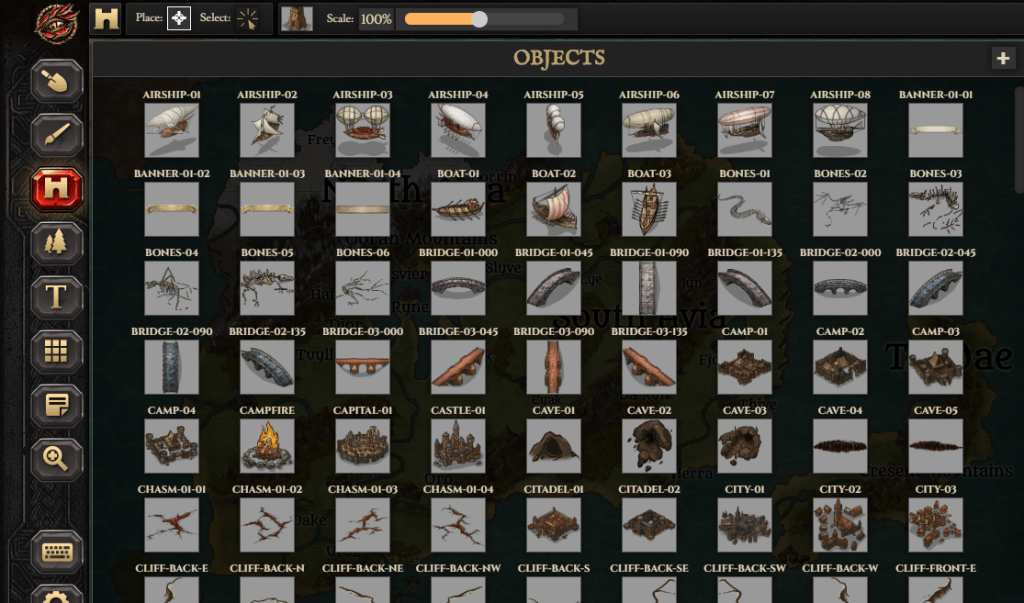
Then, you get into the meat of the program: stamps. This is where the hundreds (and thousands) of art assets come into play. Do you want a fortified dwarven city? There’s a stamp for that. Were you looking for the ruins of an elven civilization? There’s a stamp for that. Perhaps you wanted to find a crystal cave, or a frozen mountain peak. There are stamps for those too. There’s a stamp for pretty much everything your heart could desire.
Once you’ve chosen your stamp, you just slap it onto your world just like you would if you were physically applying a stamp. You can alter the color, size, angle, positioning, and visual effects of the stamp, and you can also copy and clone to draw multiple stamps at once (for example, a dense forest or crowded mountain range). With stamps, the landscape of your map comes alive, and you can fill in every last detail of the world in which your story takes place.
Inkarnate does more than just big world maps too. You can also create regional maps for countries or nations, city and village maps, and also battle maps and interior building maps (for when you really want that visceral close up feel, or perhaps you’re the dungeon master for an upcoming D&D session). Each map type offers its own color palettes and catalogue of stamps, but the resources can be crossed over into the other map types as needed.
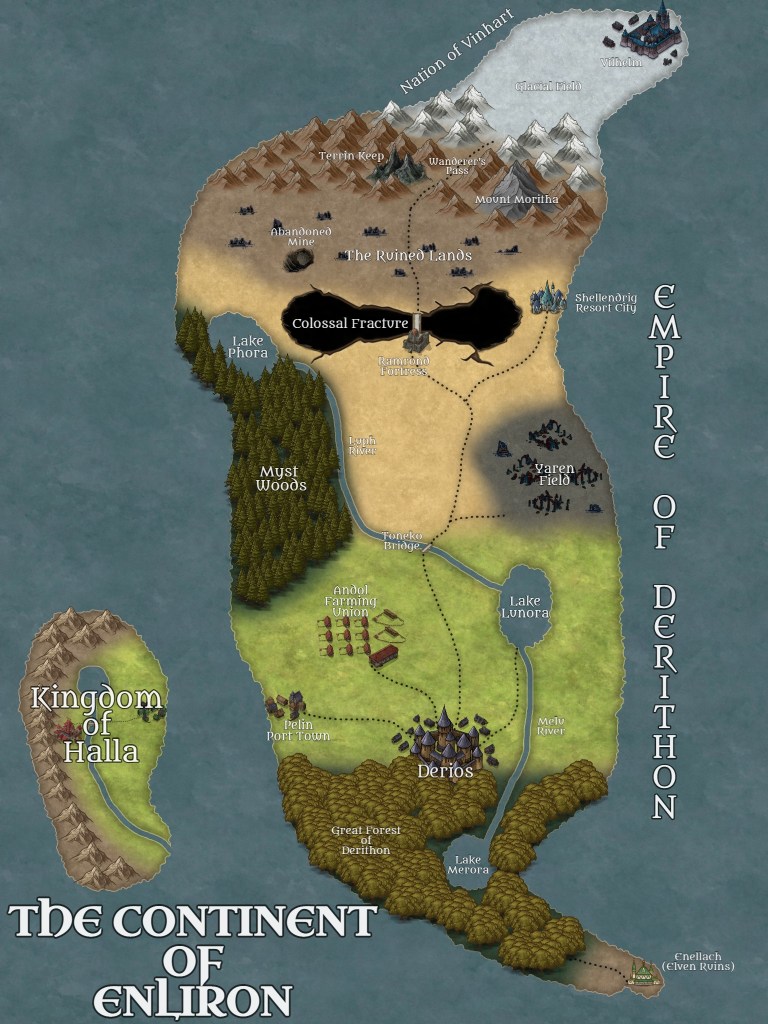
To give a visual reference of what a completed map looks like, why not take a peak at the first version of my own map? This is the world of Enliron, and the setting for my current story, The Struggle for Enliron. If you save the image or open it in a new tab, you can zoom in really close to see all the small details Inkarnate allows you to mess with when utilizing the map-maker.
Have I sold you on Inkarnate yet? (Again, I promise I’m not sponsored by Inkarnate, it’s just really awesome). If you’re interested in giving it a try, here’s the LINK. For all you fantasy lovers and map enthusiasts out there, you won’t be let down. Remember, it’s free to try out!
 The Contrarian Corner